Upgrade Your Home with Automated Motorized Shades
Effortless Control, Smart Living
Imagine adjusting all your window shades with a single touch, a voice command, or even automatically based on your schedule. Our premium motorized solutions bring convenience, safety, and modern luxury to your home.
Explore Motorized Shades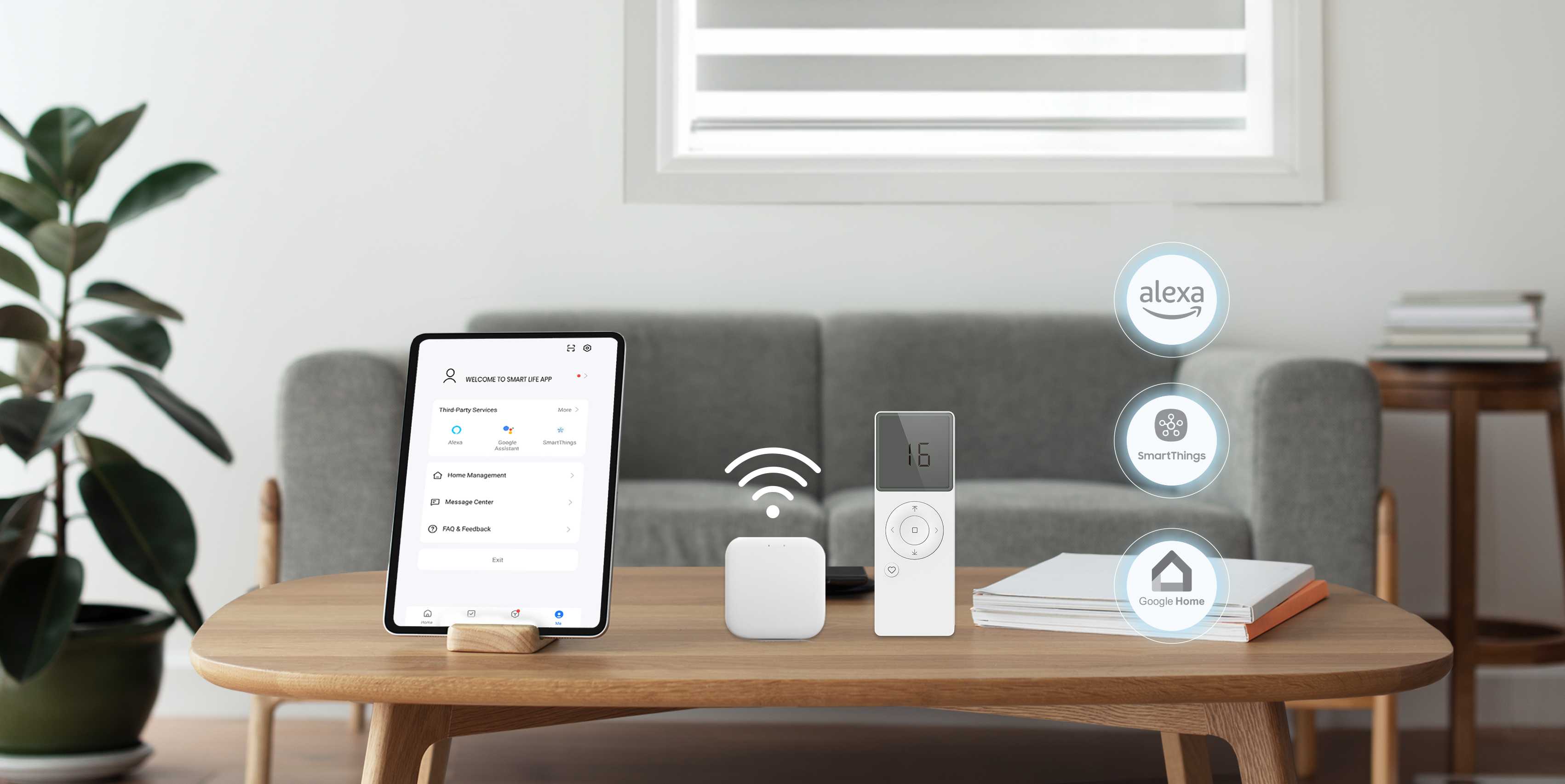
Why Choose Motorized Shades?
Ultimate Convenience
Adjust hard-to-reach windows or multiple shades instantly via remote, app, or voice.
Enhanced Child & Pet Safety
Eliminate dangling cords for a safer environment for your loved ones.
Smart Home Ready
Integrate seamlessly with popular systems like Alexa, Google Home, and more via our Connector Hub & app.
Easy Maintenance
Long-lasting rechargeable batteries (~6 months) with simple USB-C charging.
Whisper Quiet
Enjoy smooth, ultra-quiet operation (around 32 dB).
Simple & Powerful Technology
The Smart Hub (Optional)
Unlock the full potential of smart home integration. This small hub connects your Zigbee motorized shades to your Wi-Fi network, enabling control via the Smart Life app and voice assistants. Not available with the RF (remote-only) motor.
The Smart Life App
Control your shades individually or in groups from anywhere. Set custom schedules (like waking up to natural light), create scenes, and link with Alexa or Google Home for voice commands.
Multi-Channel Remotes
Prefer a dedicated remote? Our stylish remotes control multiple shades individually or as groups (up to 16 channels + custom groups). Perfect for quick adjustments without your phone.
Rechargeable Motors
Our powerful yet quiet motors feature built-in lithium-ion batteries. A single charge using a standard USB-C cable lasts approximately 6 months with typical use.
Smart Home Integration
Connect easily with your favorite smart home ecosystems through the Smart Hub and Smart Life app (Zigbee motor).
Adding Motorization is Easy
- 1Choose your desired shade style (Roller, Zebra, etc.) on the Shop page.
- 2Enter your dimensions and select fabric on the Customizer.
- 3In the 'Control' step, choose 'Smart Home Enabled Motor' (app, voice and remote control) or 'Remote Only Motor' (handheld remote, at a lower price).
- 4You'll then be prompted to add optional accessories like remotes, chargers, or the Smart Hub (Smart Home Enabled Motor only).
- 5Complete the remaining steps and add to your cart!